
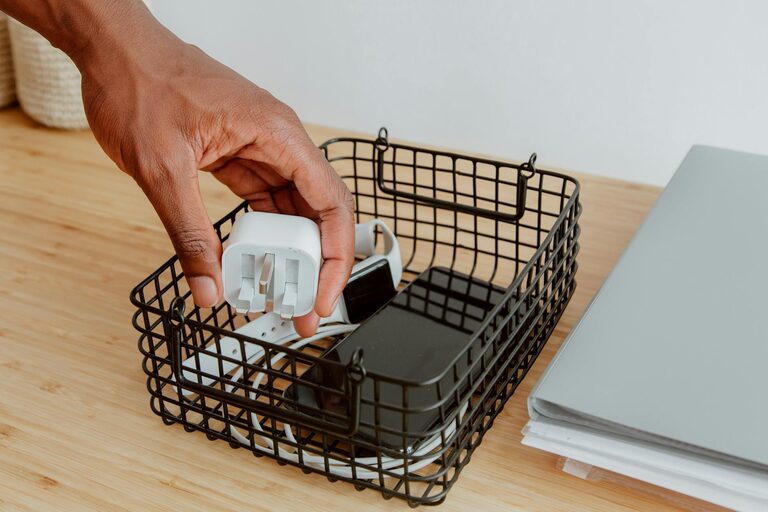
Keeping cables and chargers organized can make a big difference in maintaining a clean and efficient workspace or living area. Tangled cords not only look messy but can also cause frustration and wear on your equipment. Fortunately, organizing cables doesn’t have to be difficult or expensive. In this post, we’ll explore practical tips and creative ideas to keep your cables well-arranged and easy to find.
Why Organizing Cables is Important
Before diving into methods, let’s briefly consider why it’s worth organizing cables:
– Reduces clutter: Neatly stored cables prevent a tangled mess and free up desk or drawer space.
– Prevents damage: Tangled or tightly coiled cables can weaken over time causing breaks or frays.
– Saves time: Knowing where each charger is means less time searching when you need it.
– Improves safety: Avoid tripping hazards and accidental unplugging by keeping cords managed.
Essential Tools and Supplies
To get started, you might want some basic tools and organizing supplies:
– Cable ties or Velcro straps (reusable are best)
– Cable clips or holders
– Label maker or tape and marker
– Small boxes, drawer dividers, or pouches
– Ziplock bags or binders for extra storage
– Cord wraps or spools
Most of these items can be found easily at home or purchased cheaply online or in stores.
Step-by-Step Guide to Organizing Your Cables
Step 1: Gather and Sort Your Cables
Begin by collecting all chargers, cords, and cables from around your home or office. Sort them into categories such as:
– Phone and tablet chargers
– Computer and laptop cables
– Audio and video cords
– Power strips and extension cords
– Miscellaneous (specialty cables like USB-C, HDMI, etc.)
Getting a good overview helps you decide how much space or storage you need.
Step 2: Declutter and Discard
Check each cable for damage or age. Dispose of broken or obsolete cables responsibly. If you have duplicates or extras you no longer need, consider donating or recycling them.
Step 3: Label Each Cable
Labeling cables makes it easier to identify them quickly. Use a label maker or simply wrap small pieces of masking tape near the ends with clear writing. Include details like device type or purpose, for example, “Tablet charger” or “Printer USB.”
Step 4: Use Cable Ties or Straps
Avoid loose cables by bundling each one with a reusable cable tie or Velcro strap. Coil the cable naturally without bending sharply to prevent damage. This keeps cables compact and tangle-free.
Step 5: Choose Suitable Storage Solutions
How you store cables depends on your available space and usage habits:
– Drawer organizers: Use small boxes or dividers to separate and hold coiled cables neatly.
– Clear ziplock bags: Store similar cables together in labeled bags for visibility.
– Cable boxes: Special storage boxes have holes to feed cables while hiding power strips.
– Binders with plastic sleeves: Great for keeping flat cables like earbuds or phone chargers.
– Wall-mounted clips or hooks: Useful near desks or entertainment centers to keep cables accessible.
Step 6: Manage Cables at Charging Stations
Keep your everyday chargers tidy by creating a dedicated charging station. Use cable clips to secure cords along the edge of your desk or a charging box to hide them while charging multiple devices.
Extra Tips for Long-Term Cable Management
– Regularly review and reorganize: Once every few months, check your cables and update your system.
– Avoid over-tightening: Give cables some slack to reduce stress on connectors.
– Use color coding: Different colors of ties or labels can indicate device type.
– Invest in cable management products: Adjustable cable sleeves or spiral wraps bundle several cables neatly.
– Keep a small toolkit: Include scissors, extra ties, and labels near your cables for quick fixes.
Creative DIY Ideas
If you enjoy crafts or upcycling, try these fun ideas:
– Use decorated toilet paper rolls to hold individual cables.
– Repurpose an old ice cube tray to separate smaller cables and accessories.
– Decorate clothespins and mount them on a board to clip and hang cables.
– Turn wooden beads into colorful cable holders by stringing them on clips or ties.
Conclusion
Organizing cables and chargers neatly doesn’t have to be a frustrating chore. With a little effort and some simple supplies, you can create a clutter-free and efficient system that saves time and protects your devices. Whether you prefer ready-made products or DIY solutions, these tips will help you maintain order and make your cables easy to find and use. Give it a try today and enjoy the satisfaction of a neat and tidy space!